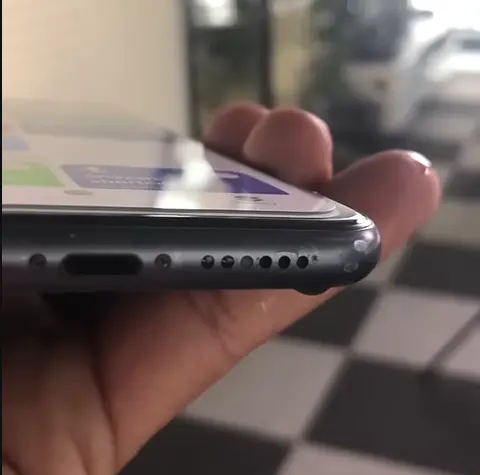
Speaker Dust Cleaning Sound: Clean Your Phone Speaker Without Damage
A speaker dust cleaning sound is a 180–250 Hz pulsed tone played at high volume to shake pocket lint and fine dust out of a phone speaker grille. Each run takes 2–3 minutes, costs nothing, and works best on gradual dust buildup rather than sudden water muffling.
Your phone speaker didn’t go bad overnight. It happened slowly. Week by week, pocket lint, fine dust, construction debris, and microscopic particles pack deeper into the speaker grille — and one day you notice every song sounds flat, every call is muffled, and your phone doesn’t sound like it used to.
Dust damage is different from water damage. There’s no single moment you can point to. It creeps in silently and builds up over time, which is exactly why most people don’t notice it until the sound has already degraded significantly.
The good news: most speaker dust problems can be improved for free, in under 3 minutes, using a specific pulsed low-frequency tone that vibrates dust particles loose from the speaker grille and membrane.
But dust cleaning is not the same as water ejection. Different frequency range, different technique, different India-specific triggers. This guide walks through all of it.
When to Use This Tool
Use Gentle Clean Mode if:
- Your speaker has been getting progressively quieter over weeks
- There’s been no recent water or sweat contact — the problem built up gradually
- Your phone works normally otherwise (no crackling or distortion)
- Sound is muffled, flat, or missing bass — classic dust symptoms
Stop and see a technician if:
- The speaker crackles or distorts, not just sounds muffled
- One side of a stereo speaker is completely silent
- The problem started suddenly right after water contact (try the Water Eject Sound tool first — that’s a water problem, not dust)
Quick Diagnosis
| Symptom | Likely Cause | Action | Urgency |
|---|---|---|---|
| Quieter over weeks | Dust packed in grille | Gentle Clean Mode, 3–4 cycles | Medium |
| Thin, flat audio | Fine dust on membrane | Dust mode at max volume | Medium |
| Muffled right after water exposure | Water trapped | Try Water Eject Sound first | High |
| Only call volume is low | Earwax/oil in ear speaker | Ear speaker cleaning mode | Low |
| Worse during monsoon | Humidity-hardened dust | Extra dust cleaning cycles | Medium |
Before you start: raise the volume, but not to a level that feels uncomfortable. Keep the phone away from your ear, and do not use this tool with headphones or earbuds connected. Stop immediately if the sound is unpleasant.
How to Use It — 3 Steps
Step 1: Volume to maximum. This isn’t optional — full intensity is what creates the vibration needed to shake particles loose.
Step 2: Speaker facing down. Let the tool run at a comfortable volume, raised but not to the point of discomfort. Gravity helps pull loosened particles out through the grille.
Step 3: Run vibration mode 2–3 times. This uses your phone’s haptic motor to add physical vibration on top of the sound. Combining both tends to work better than either alone.
Most people need a few cycles, not just one — dust doesn’t shift as easily as water, so don’t be discouraged if the first pass only partially helps.
What Is a Dust Cleaning Sound?
A dust cleaning sound is a pulsed tone, roughly 180–250 Hz, played at a raised volume to dislodge particles from the speaker grille and membrane. It sits higher and quieter than water ejection, which pulses between 150 and 220 Hz at a relatively higher volume, because dust is not one uniform substance: pocket lint, fine construction dust, and salt residue are different particle sizes, and a sweep covers more of them than a single tone would. The sweep is ordinary audio playback, so there is nothing to install and no need to open the phone; you simply play it with the speaker facing down and wipe away whatever comes loose. It is designed for gradual, grille-level dust buildup. It cannot pull out particles that have worked deep inside the phone body, and it cannot repair a speaker membrane that is already damaged.
Why Does Dust Build Up? (India-Specific Causes)
Dust builds up in a phone speaker for reasons that are mostly about where the phone lives, and in India the conditions make it faster. Pocket lint is the most common cause — cotton fibres from pockets and bags pack in tighter the longer the phone sits there, and most phones spend the bulk of the day in exactly those places. Fine construction dust is the India-specific accelerator: silicate particles from building sites are small enough to pass through grille openings that stop larger lint. Sweat adds salt that bonds with dust and makes it harder to shift, and for the top ear speaker the more likely culprit is earwax rather than dust at all. The buildup is gradual, which is why the sound turns quiet and flat over weeks instead of failing overnight. The causes below explain each one in detail.
1. Pocket lint — the most common cause. Cotton fibres from pockets and bags pack in tighter the longer your phone stays there, and most phones spend the bulk of the day in a pocket or bag.
2. Construction dust — an India-specific problem. Fine silicate dust from construction sites is small enough to pass through grille openings that stop larger lint — it falls into the coarse particulate range (PM10) that India’s Central Pollution Control Board monitors in city air. It’s a common, underrated cause of gradual speaker degradation in cities with heavy construction activity, like Delhi, Mumbai, Bengaluru, and Pune.
3. Monsoon humidity. High humidity during the June–September monsoon can cause dust to absorb moisture and stick more firmly to the grille and membrane, which is why dust problems tend to feel more stubborn during monsoon months.
4. Earwax and facial oil. This clogs the earpiece — the small top speaker, technically called the receiver, that you hold to your ear during calls — rather than the main loudspeaker at the bottom. The tell-tale sign: call volume is low but music and video playback sound fine. This needs the ear speaker cleaning mode, not the main dust mode.
5. Gym sweat. Salt left behind by sweat bonds with dust and is harder to shift than plain dust. Salt residue does not respond well to sound alone, and adding water to the grille can push moisture further in. Wipe the outside with a soft, dry cloth, and if the sound does not improve, have a technician clean it.
Dust vs. Water — How to Tell the Difference
Dust:
- Builds up gradually, over weeks or months
- Sound gets quieter and flatter over time
- No sudden trigger moment
- Not urgent, but gets worse if ignored
Water:
- Happens suddenly, right after water contact
- Sound quality drops immediately
- Muffling is usually more severe
- More time-sensitive — the longer water sits, the more mineral residue it can leave behind
Device Notes
| Device | What to Expect | Tip |
|---|---|---|
| iPhone | Bottom-facing speaker(s) | Remove the case first. Pro Max models have a dual speaker — run a couple of extra cycles. |
| Samsung Galaxy | Bottom edge | S-series grilles sit slightly deeper — may need a few more cycles than average. |
| Xiaomi/Redmi | Bottom edge | Tends to respond quickly to the tool. |
| Realme | Bottom or side-mounted | For side-mounted speakers, try a 45° tilt on a repeat cycle. |
| OnePlus (stereo) | Bottom + top | Run the bottom speaker, then the top speaker, as separate sessions. |
Method Comparison
| Method | Does It Work? | Risk | Time | Cost |
|---|---|---|---|---|
| Dust Cleaning Tool | Yes, for grille-level dust and lint | None | 2–3 min | Free |
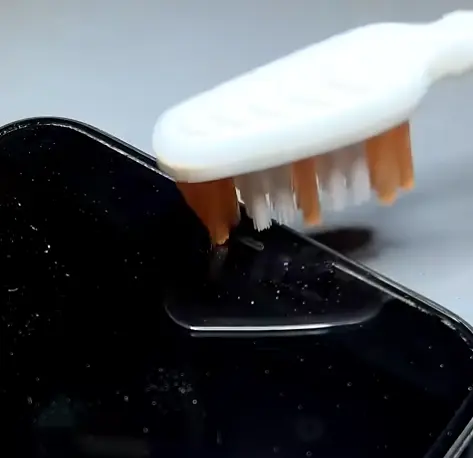
| Soft toothbrush | Surface dust only | Low | 5 min | Free |
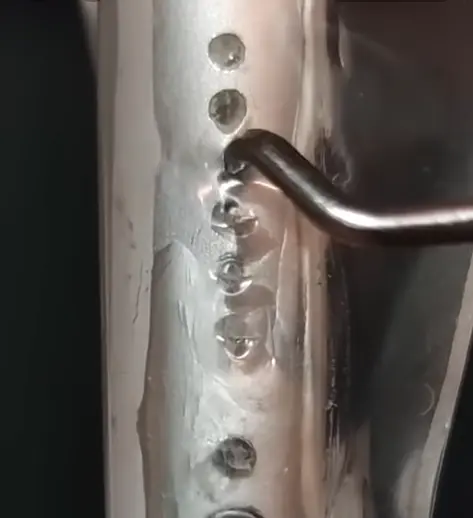
| Compressed air | Sometimes, but can push dust deeper | Higher | 3–5 min | Low |
| Professional cleaning | Yes, including for deeper buildup | None (done by a technician) | 1–2 hrs | ₹200–800 |
What If the Dust Cleaning Sound Doesn’t Fully Work?
If the dust cleaning sound has not fully cleared your speaker after a couple of runs, the fix is usually a change of approach rather than a repair bill. Run the tool at different angles — flat, at a 45° tilt, then vertical — because dust responds to gravity differently depending on the position, and a change of angle sometimes helps where repetition alone does not. Give loosened dust time to shift: waiting a few hours, or trying again the next morning, often finishes the job a first session started. For construction dust or gym sweat, wipe the outside of the speaker area with a soft, dry cloth first — do not add water to the grille, which can push residue further in. Only when angle changes, patience, and a dry wipe have all failed is it worth treating the blockage as deep-seated and considering professional cleaning.
Try different angles. Run the tool flat, then at a 45° tilt, then vertical. Dust responds to gravity differently depending on the angle, so a position change sometimes helps where repetition alone doesn’t.
Wait a few hours and try again. Dust that’s been loosened but not fully ejected sometimes shifts further with a bit of time and a follow-up session — trying again after a few hours, or the next morning, is worth it before assuming it hasn’t worked.
Do not add water for construction dust. Fine silicate dust bonds more tightly than lint, and it is tempting to wet it — but adding water to the grille risks pushing the residue deeper. Wipe the outside with a soft, dry cloth and run the tool. If that does not clear it, have a technician clean it.
Extend sessions during monsoon. Humidity-hardened dust generally needs more cycles than dry-season dust. Give it more attempts before concluding the tool isn’t working.
See a repair shop if nothing changes after several full sessions. At that point it’s worth ruling out something the tool genuinely can’t fix — a torn membrane or a build-up the sound alone can’t dislodge. In India, this kind of speaker cleaning or minor repair typically runs somewhere in the ₹250–1,200 range at a local shop or authorised service centre, depending on the brand and whether parts need replacing.
Preventing Dust Buildup
- Use a case with proper grille coverage. It slows down how quickly dust accumulates in the first place.
- Clean on a schedule that matches your environment. Roughly monthly for typical office/home use, more often — weekly — if you’re regularly around construction sites, and every couple of weeks during monsoon.
- A quick weekly toothbrush pass on the grille removes surface lint before it packs in deeper.
- Store your phone away from dusty surfaces when it’s not in your pocket.
- Wipe down the speaker area after a workout. This stops sweat salt from hardening into the grille.
What this tool does not do: This tool is for basic speaker cleaning support only. It may help move small amounts of trapped water or dust using sound vibration. It does not repair physical damage, corrosion, or water that has reached the inside of the device. If your phone was in saltwater, was submerged, or shows physical damage, power it off and see a qualified technician, and follow your manufacturer’s official guidance.
FAQ
What is a speaker dust cleaning sound?
It’s a 180–250 Hz pulsed tone played at a raised volume to dislodge dust, lint, and similar particles from a phone speaker’s grille and membrane.
Is dust cleaning different from water ejection?
Yes. Water ejection pulses between about 150 and 220 Hz at a relatively higher volume, six times a second because it’s dealing with a single substance. Dust cleaning uses a higher, quieter pulse of 180 to 250 Hz at about seven times a second, because dust, lint, and salt residue are different particle types that respond to different frequencies.
How long does dust cleaning take?
Usually 2–3 minutes for a full session (dust mode plus a couple of vibration cycles). Heavier buildup may take a few sessions spread over a day or two.
How do I know if it’s dust or water?
Dust builds up gradually over weeks. Water causes an immediate, sudden drop in sound right after contact. If it happened suddenly after your phone got wet, try the Water Eject Sound tool first.
Is this safe for my speaker?
Yes. The frequencies used are within a phone speaker’s normal operating range — similar to playing music at full volume. There’s no heat, electrical, or physical contact involved.
How often should I clean dust from my speaker?
Roughly once a month for normal use, more often if you’re frequently in dusty environments, and every couple of weeks during monsoon season.
Final Thoughts
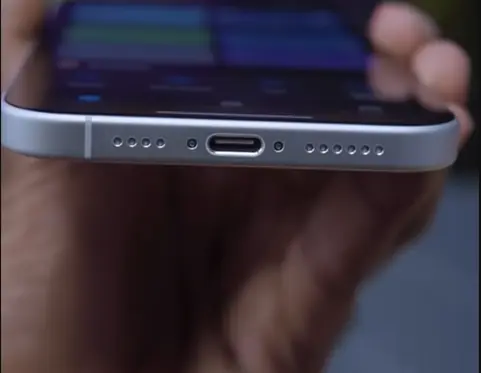
Dust doesn’t fix itself — left alone, it tends to get worse rather than better. If your speaker has been sounding gradually flatter or quieter, it’s worth running the free Fix My Speaker dust cleaning tool — it works in any browser, including Chrome and Safari — before assuming you need a repair. Most people see a noticeable improvement within a session or two, and it costs nothing to try.
If your problem started suddenly after water contact rather than building up gradually, head to the Water Eject Sound guide instead — it’s a different mechanism and a different fix.
Looking for the complete picture beyond just dust? See the full Phone Speaker Cleaner guide for water, dust, ear speaker, and iPhone-specific fixes all in one place.

Written by
Waqas ‘Stryker’ Qureshi
Stryker built and maintains the Fix My Speaker tool. He is an SEO strategist and WordPress developer specialising in technical SEO, Core Web Vitals, and AI search optimization (GEO) — helping sites get found on Google and cited inside AI answers. Trained under the iSkills SEBT framework, he brings a 20+ year background in corporate training and quality assurance to the way he tests, documents, and explains things. Read more at strykerworks.com or connect on LinkedIn.
हिंदी में पढ़ें: इस गाइड का हिंदी वर्ज़न यहाँ देखें — Read this guide in Hindi.